Standing Desk Height Guide: Correct Setup for Long-Hour Comfort and Posture
Last Updated: 2025-12-07
The popularity of standing desks continues to rise, but most people still struggle with one question: What is the correct standing desk height for my body? Incorrect standing desk height can lead to shoulder tension, wrist strain, lower-back fatigue, and excessive neck tilt. This complete guide shows you how to set your standing desk height based on your body height, elbow angles, monitor level, and work habits. By the end of this page, you’ll be able to configure a professional-grade standing workstation that supports comfort and productivity throughout long-hour work.
Table of Contents
- Why Standing Desk Height Matters
- Recommended Standing Desk Height by Body Height
- How to Measure Your Correct Standing Desk Height
- Monitor Height & Distance in Standing Mode
- Keyboard & Wrist Setup
- Foot Position, Shoes, and Anti-Fatigue Mats
- How to Maintain Proper Standing Posture
- Standing–Sitting Rotation Strategy
- Common Real-World Scenarios & Fixes
- Common Mistakes to Avoid
- Quick Checklist
- FAQ
- Internal Links
- Disclaimer
- Sources & Transparency
- Author
Why Standing Desk Height Matters
A standing desk is only beneficial if it is aligned to your natural posture. The wrong height increases pressure on the shoulders and wrists. Too low, and you lean forward. Too high, and your shoulders rise toward your ears. A properly configured standing desk allows you to stay upright with your spine neutral and your elbows relaxed.
Recommended Standing Desk Height by Body Height
The ideal standing desk height is based on your standing elbow height. Most ergonomic research suggests keeping elbows at a neutral 90–100° angle, similar to seated desk posture.
| Body Height | Standing Desk Height (Recommended) |
|---|---|
| 155–165 cm | 95–102 cm |
| 166–175 cm | 100–106 cm |
| 176–185 cm | 105–110 cm |
| 186+ cm | 110–116 cm |
These ranges serve as general guidelines to help you quickly get close to your ideal height. Final adjustments should be made using your elbow height measurement.
How to Measure Your Correct Standing Desk Height
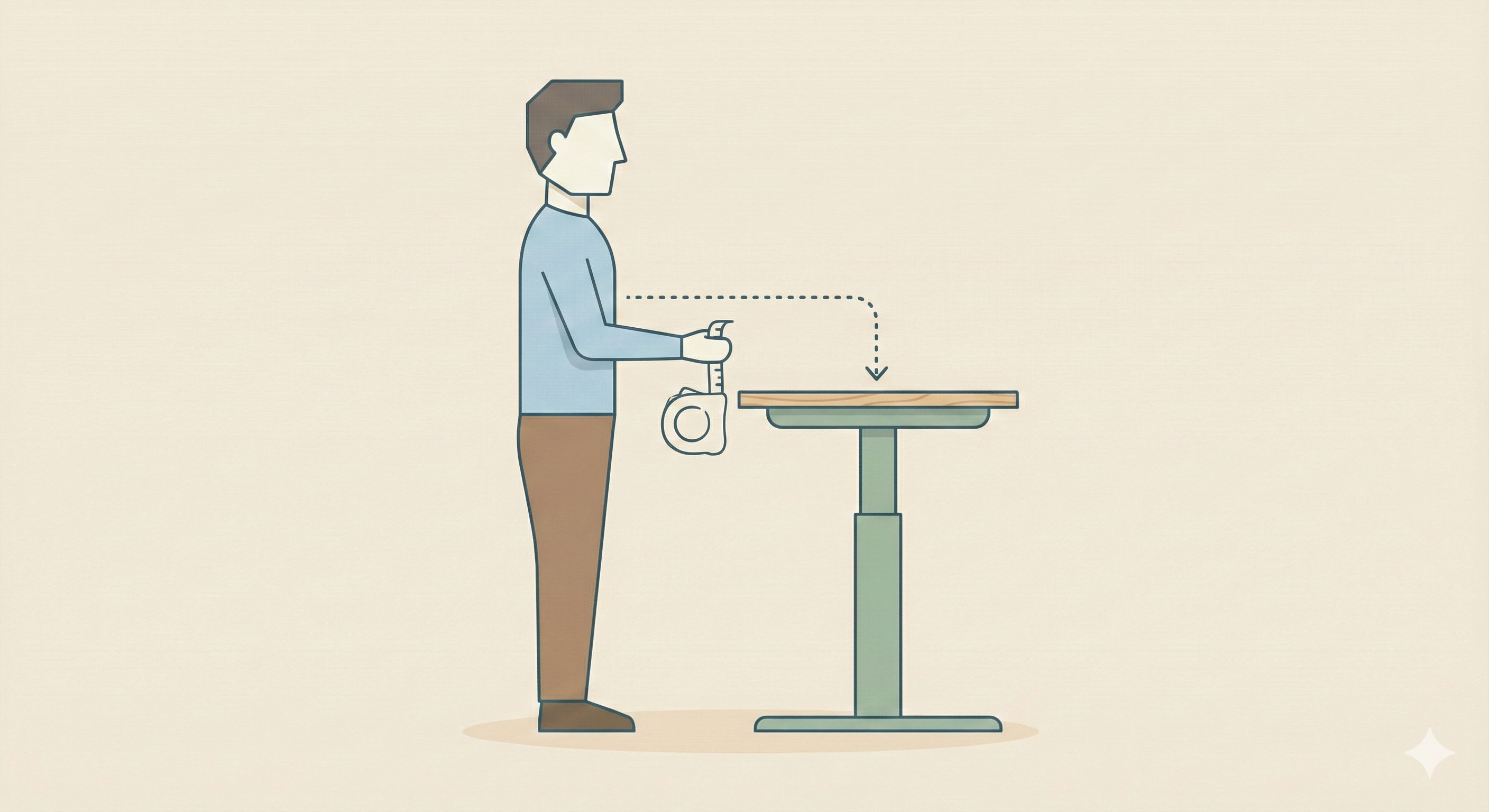
- Stand in a relaxed posture with neutral shoulders.
- Place your arms at your sides, bending elbows to 90–100°.
- Measure from the floor to the bottom of your elbows.
- This measurement is your target standing desk height.
- If you type or use a mouse frequently, fine-tune the height ±1–2 cm.
Monitor Height & Distance in Standing Mode
Standing posture changes how you look at the monitor. Your eyes are naturally higher compared to sitting, so you may need to raise your monitor or use a monitor arm.
- Top of the monitor at or slightly below eye level
- Distance: 55–75 cm (slightly farther than sitting)
- Monitor tilt: 10–20° upward
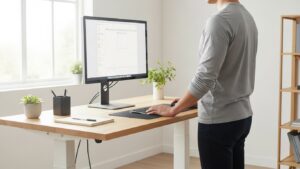
Keyboard & Wrist Setup for Standing Work
Your wrists should stay straight while typing. If your standing desk is too high, wrists bend upward, creating strain. If too low, shoulders drop forward. To maintain neutral wrist posture:
- Keep the keyboard flat (avoid positive tilt).
- Place your mouse close to shoulder width.
- Use a low-profile keyboard if you feel wrist tension.
Foot Position, Footwear, and Anti-Fatigue Mats
Standing work can fatigue your feet and lower back. Good footwear and a soft anti-fatigue mat help distribute pressure evenly.
- Use shoes with decent cushioning (avoid flat barefoot standing).
- Use an anti-fatigue mat to reduce impact on joints.
- Shift weight slightly between legs every few minutes.
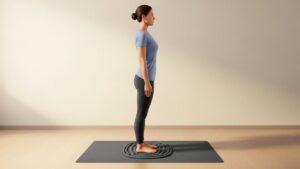
How to Maintain Proper Standing Posture
The correct standing posture distributes weight evenly and keeps your spine aligned. Key elements include:
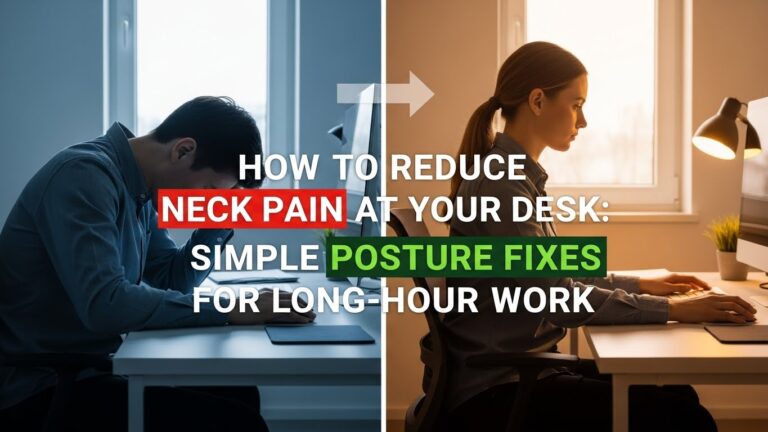
- Neck upright, not tilted forward.
- Shoulders relaxed, not lifted.
- Elbows bent at 90–100°.
- Wrists straight while typing.
- Feet shoulder-width apart.
Standing–Sitting Rotation Strategy
The true benefit of a standing desk comes from alternating between standing and sitting. Continuous standing can cause leg fatigue, while continuous sitting increases hip and spine stress. Most ergonomics programs suggest a standing-to-sitting ratio of 1:1 or 1:2 depending on comfort.
Common Real-World Scenarios & Fixes
• Desk feels too high
Lower the desk or slightly lower your shoes’ heel height. You can also raise the monitor a bit to maintain eye-level alignment.
• Desk feels too low
Raise the desk 1–2 cm at a time until your shoulders relax naturally.
• Monitor too low in standing mode
Use a monitor arm or a riser. Standing posture requires a higher screen position.
• Lower-back fatigue after standing
Use an anti-fatigue mat and shift weight frequently to avoid locking the knees.
• Wrist discomfort
Flatten the keyboard and reduce desk height slightly.
Common Mistakes to Avoid
- Placing the desk too high → shoulder tension increases.
- Standing too long without breaks → lower-back fatigue.
- Monitor not raised enough → downward head tilt.
- Using heels or unstable footwear.
- Locking knees for long periods.
Quick Checklist
- Elbows at 90–100° in standing posture.
- Monitor top at eye level.
- Wrist posture neutral.
- Feet supported with shoes or mat.
- Alternate standing and sitting.
FAQ
1. How do I find the correct standing desk height?
Match your standing elbow height. This is the most reliable method across different body proportions.
2. Should the height be different for typing vs reading?
Typing usually requires slightly lower height (1–2 cm) than reading or video calls.
3. How long should I stand at a standing desk?
Use a rotation strategy. A 1:1 or 1:2 standing-to-sitting ratio works well for most people.
4. Do I need a monitor arm?
Not mandatory but highly recommended for standing setups because monitor height must be higher than in sitting mode.
5. Are anti-fatigue mats necessary?
They are strongly recommended if you stand more than 20–30 minutes at a time.
Internal Links (Recommended Next Reads)
Disclaimer
This guide focuses on general workstation ergonomics and environmental comfort. It does not provide medical or clinical advice.
Sources & Transparency
Author
Written by: Home Office Setup Project — Evidence-Informed Ergonomic Guidance

I’m not a medical professional, ergonomist, or workplace specialist.WorkNest exists to help everyday people build more comfortable, practical home office environments through clear explanations, visual guides, and common-sense adjustments.
Articles on this site are written from a non-expert perspective, focusing on real-world use, everyday discomforts, and widely accepted setup principles rather than clinical or professional advice.