Minimal Desk Setup That Stays Minimal: A Weekly Reset System That Takes 8 Minutes
How do I keep a “minimal desk setup” from slowly turning into clutter again?
A desk stays minimal when you stop relying on willpower and start using a repeatable system.
The most reliable approach is an 8-minute weekly reset built around one rule:
every item must earn a home.
By running a fast 3-zone sweep (surface → support → storage) and finishing with a
30-second “ready-to-work” test, you eliminate clutter before it becomes the new normal.
- Consistency beats perfection: a short reset you repeat always wins.
- The Active Rectangle rule: keep the arm-reach area completely clear.
- One controlled drop zone: tiny chaos is better than random piles.
- Anchored cables only: loose wires are where clutter starts.
- Loose cables near your feet: trip hazards, accidental unplugging, and constant visual noise.
- Paper stacks under devices: blocked airflow leads to heat buildup and lost documents.
This reset includes a short cable and heat check so your desk stays safe as well as clean.
Last Updated: 2026-01-17 |
Expert Review: WorkNest Ergonomic Lab |
Author: WorkNest Team
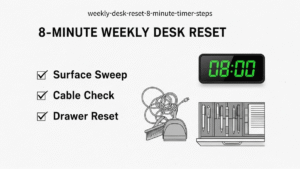
- Minute 1: Clear the active work rectangle completely.
- Minutes 2–3: Surface sweep → trash out, dishes out, random items off the desk.
- Minutes 4–5: Cable and floor check → slack anchored, plugs seated.
- Minutes 6–7: Drawer sweep → only daily tools stay within reach.
- Minute 8: Sit down and start a task without moving anything.
I once built a picture-perfect desk setup. It looked incredible—for about two days.
Then real work happened. Chargers stayed out. Notes piled up.
By midweek, the desk felt heavier than before.
That’s when I realized something important:
minimalism isn’t something you own—it’s something you maintain.
Clutter doesn’t arrive all at once.
It drifts in quietly, one homeless item at a time.
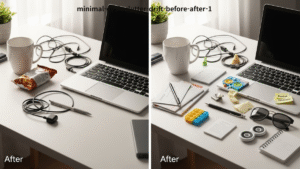
1) Why minimal desks fail: clutter drift
Most people don’t fail because they’re careless.
They fail because their desk has items with no default home.
Once an object stays on the surface for a day or two, your brain stops noticing it.
That’s clutter drift.
2) The 3 zones that keep desks minimal
- Zone A — Active Work Rectangle: keyboard, mouse, and current task only.
- Zone B — Visibility Edge: corners and back edge where static clutter forms.
- Zone C — Support Layer: cables, drawers, power. If this fails, the surface fills.
If storage is chaotic, the desk becomes storage.
3) The 8-minute reset (script)
4) “Home or out” rules
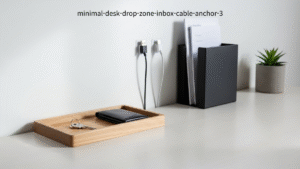
- One drop zone: keys, badge, earbuds.
- One paper inbox: vertical only.
- One charging path: same outlet, same cable route.
- Anchored cables: nothing dangles.
5) Clean-looking vs actually minimal
| Signal | Looks minimal | Stays minimal |
|---|---|---|
| Start work | move things first | start instantly |
| Weekly effort | skipped deep cleans | 8-minute reset |
Internal Links
Desk Clutter Reduction System
Cable Management for Small Desks
Productivity Desk Layout Science
Sources & References
Professional Disclaimer
Update Log:
– 2026-01-17: Final consolidated version. Improved clarity, reduced redundancy, and strengthened system-based guidance.

I’m not a medical professional, ergonomist, or workplace specialist.WorkNest exists to help everyday people build more comfortable, practical home office environments through clear explanations, visual guides, and common-sense adjustments.
Articles on this site are written from a non-expert perspective, focusing on real-world use, everyday discomforts, and widely accepted setup principles rather than clinical or professional advice.