Laptop Stand Height Guide: Optimal Angle for Comfortable and Productive Work
Last Updated: 2025-12-12
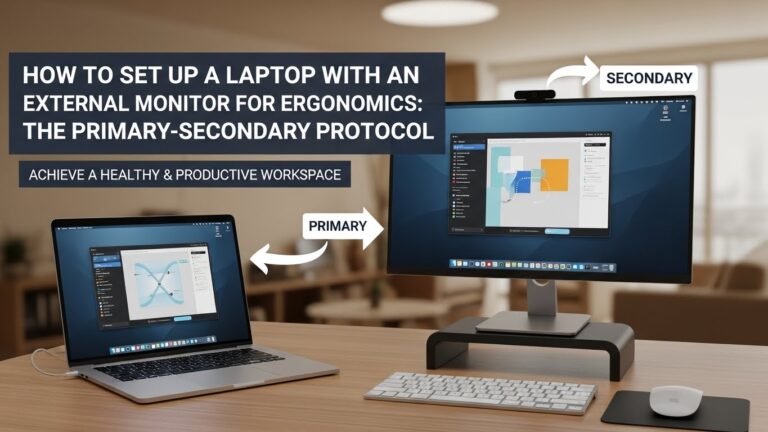
Laptop stand height guide recommendations are essential when you work long hours on a compact desk setup. Because laptop screens sit much lower than external monitors, most people end up tilting their neck downward, rounding their shoulders, and working in an uncomfortable posture. This guide shows you the ideal laptop stand height, correct screen angle, typing options, and ergonomic setups for preventing neck and back strain during extended laptop use.
Table of Contents
- Why Laptop Stand Height Matters
- Ideal Laptop Stand Height by Body Height
- Correct Screen Angle for Eye Comfort
- External Keyboard & Mouse Essentials
- Optimal Viewing Distance for Laptops
- Types of Laptop Stands & Their Pros
- Troubleshooting Common Laptop Posture Problems
- Quick Checklist
- FAQ
- Internal Links
- Disclaimer
- Sources & Transparency
- Author
Why Laptop Stand Height Matters
The average laptop screen sits 20–30 cm too low for comfortable eye level. This forces your neck to bend downward, creating extra load on your upper spine. A proper laptop stand height lifts the screen closer to eye level, reducing forward head posture and helping you maintain a neutral upper body alignment.
Ideal Laptop Stand Height by Body Height
The goal is simple: bring the laptop screen top edge close to eye level. Here is a general guideline:
- 160–170 cm height: raise laptop 12–18 cm
- 170–180 cm height: raise laptop 14–20 cm
- 180–190 cm height: raise laptop 18–24 cm

Correct Screen Angle for Eye Comfort
Laptops differ from monitors because the screen and keyboard are attached. After raising the laptop, tilt the screen backward 10–20° to avoid reflections and match your natural downward gaze.

External Keyboard & Mouse Essentials
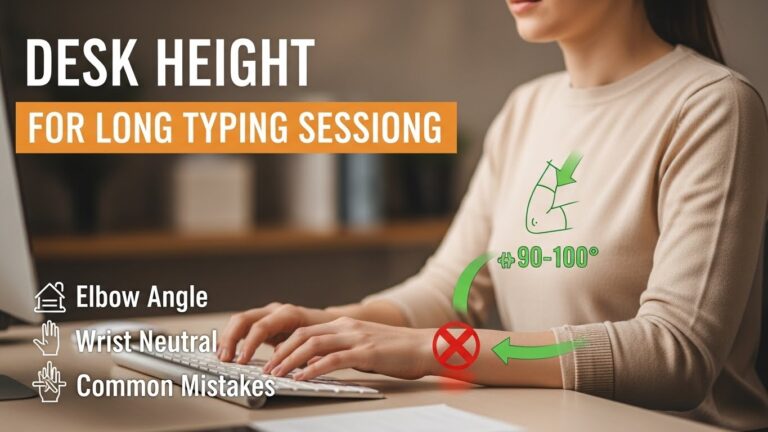
Once you lift your laptop, typing directly on it becomes uncomfortable. Use an external keyboard and mouse to keep your wrists neutral and elbows relaxed at 90–100°.
- Place keyboard at elbow height
- Keep mouse close to reduce shoulder reach
- Use a flat or negative tilt keyboard for best wrist comfort
Optimal Viewing Distance for Laptops
Recommended viewing distance is similar to a monitor: 50–70 cm depending on screen size. If you strain your eyes, increase font scaling rather than leaning forward.
Types of Laptop Stands & Their Pros
• Fixed-height metal stands
Stable and ideal for permanent setups.
• Adjustable Z-type stands
Perfect if you alternate between sitting and standing.
• Foldable travel stands
Lightweight and good for hybrid workers.
• Vertical stands (for clamshell mode)
Saves space on small desks while using an external monitor.
Troubleshooting Common Laptop Posture Problems
• Neck strain after long laptop use
Laptop stand height too low → raise another 2–4 cm.
• Glare on laptop screen
Increase screen tilt or adjust light angle.
• Wrist pain during typing
Switch to external keyboard and keep it at elbow height.
• Feeling cramped on a small desk
Use vertical stand + external monitor to free space.
Quick Checklist
- Screen top edge at eye level
- Screen tilt 10–20° backward
- External keyboard and mouse
- Viewing distance 50–70 cm
- Desk height matched to elbow level
FAQ
1. Should laptop always be at eye level?
Yes for long work sessions. For quick use, slight downward angle is fine.
2. Do laptop stands reduce neck pain?
Yes—raising the screen significantly decreases forward head posture.
3. Can a laptop stand improve productivity?
Better posture helps you work longer without fatigue.
4. Is an adjustable or fixed stand better?
Adjustable stands offer more flexibility for shared workspaces.
5. Is clamshell mode safe?
Yes when using proper ventilation; stands with openings work best.
Internal Links
- Desk Height Setup Guide (Article 1)
- Monitor Eye-Level Distance Guide (Article 3)
- Small Desk Cable Management Tips (Article 8)
Disclaimer
This guide provides ergonomic recommendations for workstation comfort. It is not medical advice.
Sources & Transparency
Author
Home Office Setup Project — Evidence-Informed Ergonomics

I’m not a medical professional, ergonomist, or workplace specialist.WorkNest exists to help everyday people build more comfortable, practical home office environments through clear explanations, visual guides, and common-sense adjustments.
Articles on this site are written from a non-expert perspective, focusing on real-world use, everyday discomforts, and widely accepted setup principles rather than clinical or professional advice.