Keyboard and Mouse Positioning: Wrist Pain Prevention Guide for Long Workdays
Last Updated: 2025-12-11
Keyboard and mouse positioning is the most important ergonomic factor in preventing wrist pain during long work sessions. Incorrect wrist posture, excessive extension, wide shoulder reach, and poor desk height force your wrists into unnatural angles—leading to tension, inflammation, and long-term strain. This guide explains the correct ergonomic positioning, ideal angles, arm support rules, and workstation setup techniques based on widely referenced workplace ergonomics principles.
Table of Contents
- Why Keyboard and Mouse Positioning Matters
- Correct Desk & Keyboard Height
- Ideal Wrist Angle for Pain-Free Typing
- Proper Mouse Alignment & Grip
- Keyboard & Mouse Distance From Your Body
- Forearm & Elbow Support
- Signs Your Setup Is Causing Wrist Pain
- Troubleshooting Common Wrist Pain Scenarios
- Quick Checklist
- FAQ
- Internal Links
- Disclaimer
- Sources & Transparency
- Author
Why Keyboard and Mouse Positioning Matters
Your wrists are among the most sensitive joints in your upper body. When your keyboard or mouse sits too high, too wide, or too far away, your wrists compensate by bending upward or outward. These small angles, when repeated across hours, cause tension in the forearm flexors and extensors. Research from ergonomic safety guidelines commonly referenced by OSHA and NIOSH shows that neutral wrist posture significantly reduces repetitive strain risk.
Correct Desk & Keyboard Height
The first step in preventing wrist pain is ensuring the keyboard height aligns with your elbows. The general ergonomic guideline is:
- Elbows at 90–100° with shoulders relaxed
- Keyboard at or slightly below elbow height
- Forearms parallel to the desk surface

Ideal Wrist Angle for Pain-Free Typing
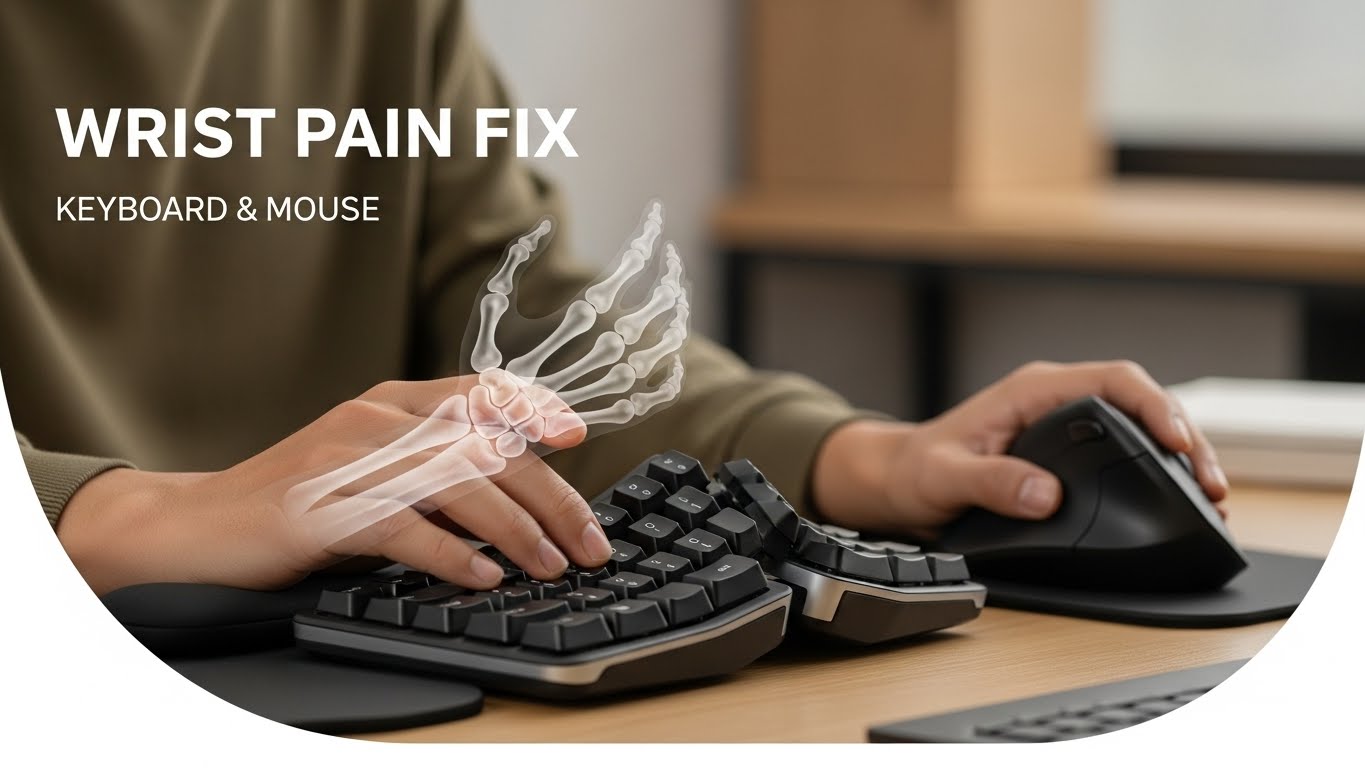
The most important rule is maintaining neutral wrist posture. This means:
- No upward bending (extension)
- No downward bending (flexion)
- No outward bending (ulnar deviation)
Your wrists should remain straight, floating naturally above the keyboard. Wrist rests can support your palms during breaks, but they should not elevate your wrists while typing.

Proper Mouse Alignment & Grip
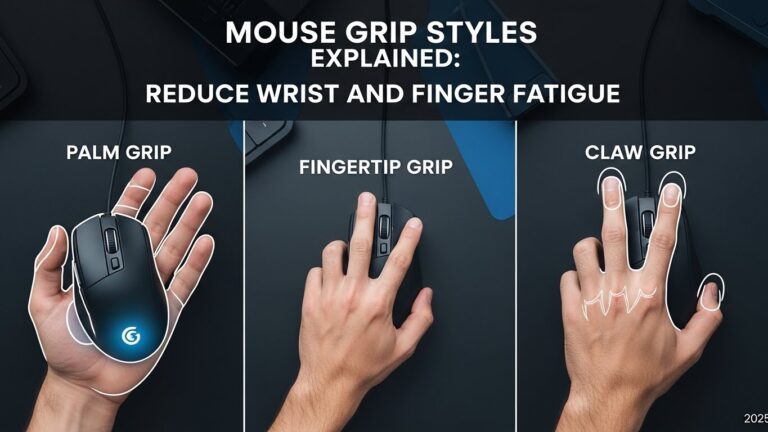
The mouse affects wrist posture more than the keyboard. To prevent strain:
- Keep the mouse directly beside the keyboard—not far away.
- Maintain a relaxed grip to avoid unnecessary muscle tension.
- Adjust mouse sensitivity so your wrist moves less.
Keyboard & Mouse Distance From Your Body
Distance determines shoulder and elbow posture. If the keyboard is too far away, you lean forward or elevate your shoulders. Ideal distance:
- Keep keyboard within 5–10 cm of your body
- Mouse positioned at the same depth as the keyboard
- Elbows remain close to your torso
Forearm & Elbow Support
Your desk and chair must work together to support your arms. Without support, your wrists carry the load. Follow these rules:
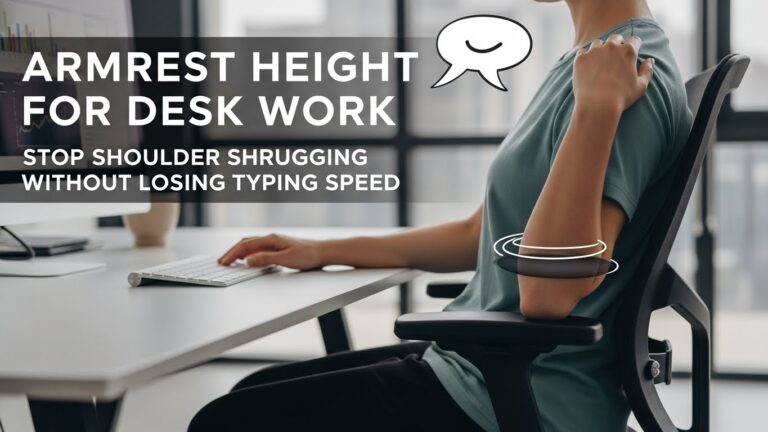
- Use armrests to keep shoulders relaxed.
- Ensure elbows gently rest on armrests or desk edges.
- If your desk has sharp edges, use a soft desk mat to reduce pressure.
Signs Your Setup Is Causing Wrist Pain
- Tingling feeling in fingers after long typing
- Forearm tightness during mouse use
- Sharp pain when bending wrists upward
- Weak grip after long work sessions
Troubleshooting: Fixing Common Wrist Pain Scenarios
• Pain on top of the wrist
Keyboard likely too high → lower desk or raise chair.
• Pain near thumb when using mouse
Grip too tight → increase mouse sensitivity and relax your hand.
• Tingling in fingers
Wrist extension likely excessive → lower keyboard height.
• Shoulder pain while typing
Keyboard may be too far → bring it closer by 5–10 cm.
Quick Checklist
- Keyboard at elbow height
- Wrists neutral—no bending
- Mouse close, same depth as keyboard
- Forearms supported
- Elbows near body
FAQ
1. How do I stop wrist pain from typing?
Keep wrists neutral and lower keyboard height to match elbow level.
2. Is wrist rest helpful?
Helpful during breaks, but avoid using it while typing.
3. Should my keyboard tilt up?
No—keep it flat or slightly negative tilt to prevent extension.
4. What mouse shape is best?
A shape that allows relaxed grip without forcing wrist deviation.
5. Is arm support important?
Yes—forearm support reduces wrist load significantly.
Internal Links
Disclaimer
This guide provides general ergonomic recommendations based on workstation comfort principles. It is not medical advice.
Sources & Transparency
Author
Written by: Home Office Setup Project — Evidence-Informed Ergonomic Guidance

I’m not a medical professional, ergonomist, or workplace specialist.WorkNest exists to help everyday people build more comfortable, practical home office environments through clear explanations, visual guides, and common-sense adjustments.
Articles on this site are written from a non-expert perspective, focusing on real-world use, everyday discomforts, and widely accepted setup principles rather than clinical or professional advice.