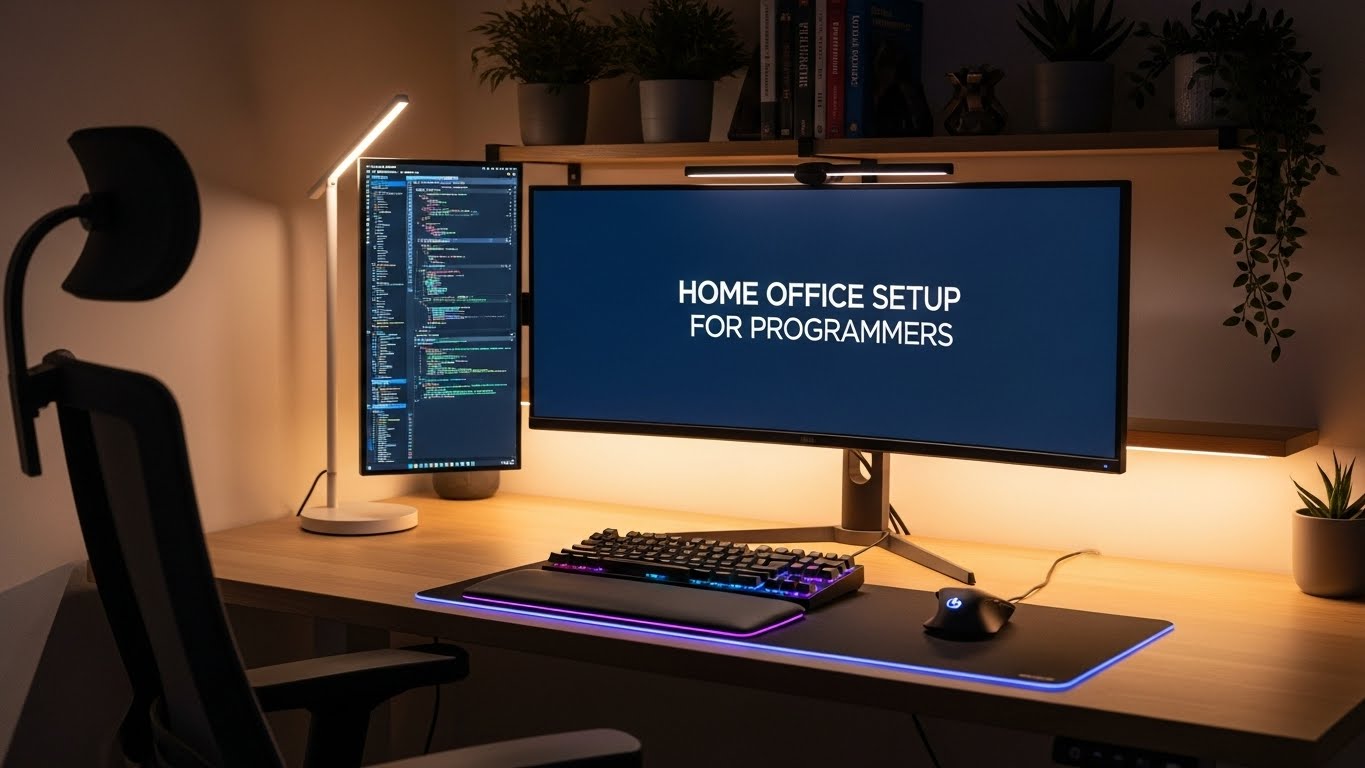
Home Office Setup for Programmers: Monitor Height, Lighting, and Wrist-Friendly Layout
What’s the best home office setup for programmers who code for hours without neck or wrist pain?
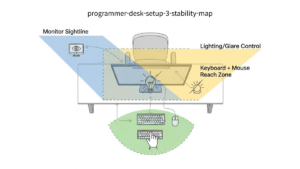
The most reliable answer is the 3-Stability Setup:
stable sightline, stable visual contrast, and stable reach zone.
Most programmer pain comes from micro-drift—small posture changes that accumulate during deep focus.
- Reach first: keyboard + mouse close enough that elbows stay near ribs
- Screen second: top of monitor at or slightly below eye level
- Lighting third: remove glare, then add soft bias light
- Wrists: forearms supported, wrists light during motion
- Night numbness or tingling (thumb/index/middle fingers)
- Shooting or electric pain down the arm
- Grip weakness or dropping objects
This guide is ergonomic—not medical. Persistent neurological symptoms require professional care.
Last Updated: 2026-01-18 |
Expert Review: WorkNest Ergonomic Lab |
Author: WorkNest Team
- Pull keyboard + mouse close (elbows hang naturally)
- Increase IDE zoom before adjusting monitor height
- Remove glare → add soft back-light
- Support forearms, float wrists during motion
- If you reach or brace, reset reach zone
Programming pain doesn’t hit at hour one.
It shows up mid-afternoon—when focus is deep and movement disappears.
That’s the Statue Effect.
Your brain is sprinting while your body is frozen.
You lean forward to read dense code,
your shoulders rise during debugging,
your mouse arm reaches farther every hour.
This is micro-drift.
The goal isn’t perfect posture.
It’s a setup that removes the need to compensate.
If you must “remember” to sit right, the setup has already failed.
1) Monitor height for coding (the chin-up trap)
If your monitor is too high, you fall into the chin-up trap—
subtle neck extension held for hours.
- Top of screen at or slightly below eye level
- Eyes naturally look 10–15° downward
- Zoom text first, posture second
- Distance ≈ comfortable arm’s length
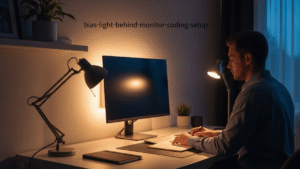
2) Lighting: contrast stability beats darkness
A dark room with a bright screen creates contrast stress.
Your pupils constantly adjust—silent fatigue.
- Avoid direct window glare
- Add bias lighting behind the monitor
- Use task lighting for paper only
3) Wrist-friendly layout: reach zone over gadgets
Most wrist pain in programmers starts at the shoulder.
A far mouse means thousands of extra reaches per day.
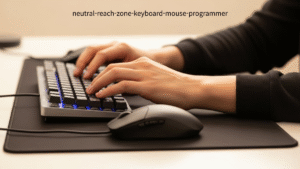
- Mouse next to keyboard (same plane)
- Use TKL keyboard if possible
- Support forearms near elbow
- Float wrists during motion
4) Stable vs drifting setup (3 PM reality check)
| Signal | Drifting | Stable |
|---|---|---|
| Neck | chin-up, forward | neutral |
| Eyes | burning, glare | calm focus |
| Mouse arm | reaching | elbow tucked |
| End of day | fatigue ramps | you forget the setup |
FAQ — Programmer Setup Questions
Q1. Should programmers raise monitors higher than normal?
No. Fix text size first. Raising the monitor too high causes the chin-up trap.
Q2. Is dark mode better for long coding sessions?
Only if contrast is controlled. Dark mode without bias lighting often increases eye fatigue.
Q3. Do wrist rests prevent pain?
They help during pauses, not during motion. Forearm support + floating wrists is safer.
Q4. Why does my right shoulder hurt more than my wrist?
Mouse distance. Pull it closer so your elbow stays near your body.
Q5. What’s the fastest fix if everything hurts?
Reach zone. Bring keyboard and mouse closer before changing anything else.
Recommended Reading
Monitor Distance & Eye-Level Guide
Home Office Lighting Setup
Keyboard & Mouse Positioning Guide
Sources & References
Professional Disclaimer
Update Log:
– 2026-01-18: Structure normalized, FAQ restored, and finalized as authority-grade programmer ergonomics guide.

I’m not a medical professional, ergonomist, or workplace specialist.WorkNest exists to help everyday people build more comfortable, practical home office environments through clear explanations, visual guides, and common-sense adjustments.
Articles on this site are written from a non-expert perspective, focusing on real-world use, everyday discomforts, and widely accepted setup principles rather than clinical or professional advice.