Desk Drawer vs Desktop Organizer: Which Reduces Clutter Without Killing Reach Zone
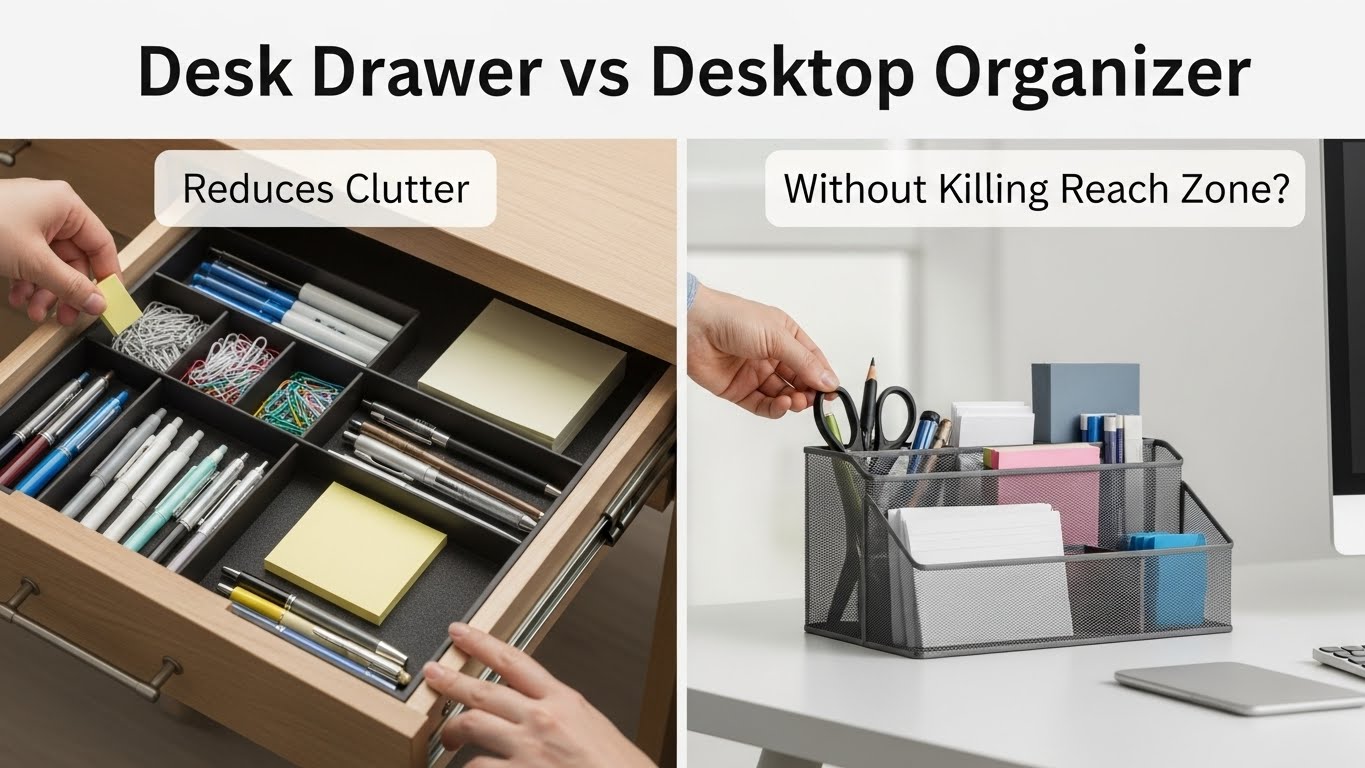
Desk drawer vs desktop organizer — what’s the best choice for less clutter AND faster work?
The best default is a hybrid: a tiny desktop organizer for your Daily Five (the items you touch every hour),
and a reachable drawer for everything else. The real risk isn’t “mess.” It’s reach zone encroachment:
when a bulky organizer creeps into your keyboard/mouse rectangle, it silently pushes your hands forward or sideways.
That turns “organized” into slow fatigue—shoulders inch up, wrists lose support, and your posture pays the bill.
- Reach-zone-first rule: nothing blocks the keyboard + mouse rectangle—ever.
- Daily Five limit: if it’s not touched daily, it’s not allowed to live on the surface.
- 10-second start test: sit down and type without moving a single object.
- Drawer wins for calm: organizers win for speed—hybrid keeps both.
Storage can create “subconscious compensation.” If you notice any of these, your setup is leaking ergonomics:
- Keyboard creep: the keyboard keeps drifting toward the desk edge because a caddy is hogging space.
- Mouse detour: you reach around containers (wider arm arc = shoulder tension over time).
- Hard-edge wrists: your wrists rest on the desk edge because forearm space got stolen.
- “Leaning tower” grab: you lean forward to access items behind the monitor or organizer.
- Visual noise: you feel mentally busy even when the desk looks “tidy.”
This guide is informational. If you have persistent pain, numbness/tingling, or worsening symptoms, consult a qualified professional.
Last Updated: 2026-01-18 |
Expert Review: WorkNest Ergonomic Lab |
Author: WorkNest Team
- Draw the rectangle: reserve keyboard + mouse + forearm space as a no-storage zone.
- Pick your Daily Five: choose 5 items you touch constantly (not “just in case”).
- Organizer limit: one small caddy/tray only—if it overflows, items get demoted to the drawer.
- Drawer logic: weekly/rare items live in the drawer, sorted into simple “like-with-like” groups.
- 10-second start test: sit down and begin work without shifting objects. If you can’t, storage is invading the reach zone.
I used to think “organized” meant “everything has a visible place.” That’s how I ended up with a big wooden desktop organizer
that looked amazing… and quietly ruined my day.
The organizer grew. It always grows. A pen cup becomes a pen cup + sticky notes + spare cables + adapters + “I’ll need this later.”
Eventually my keyboard got nudged forward and my mouse drifted outward. Nothing dramatic happened at first—just a weird heaviness in the shoulder
around mid-afternoon, like my arm didn’t want to live on the desk anymore.
The turning point was realizing this isn’t a storage debate—it’s a reach zone debate.
Your desk can be clean and still be wrong if your hands have to travel farther all day. So below, we’ll pick the right tool for the right job:
drawer for calm, desktop organizer for speed, and a hybrid that keeps both without stealing your work rectangle.
Table of Contents
- 1) The reach zone: why storage choices change posture
- 2) Desk drawer: when it wins (and when it becomes a productivity tax)
- 3) Desktop organizer: when it wins (and when it becomes visual noise)
- 4) The hybrid system: Daily Five + Weekly Drawer
- 5) Decision table: pick the right setup in 60 seconds
- 6) Common mistakes (the “looks clean” traps)
- FAQ
- Internal Links
- Sources & References
- Professional Disclaimer
1) The reach zone: why storage choices change posture
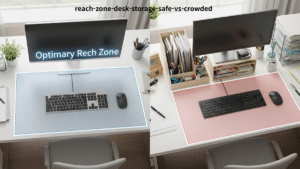
Here’s the simple ergonomic truth: your desk feels “right” when your hands can work with short, relaxed movements.
Elbows stay close. Shoulders stay down. Mouse stays near the keyboard. Wrists stay neutral because you still have forearm support space.
The moment storage creeps into that space, your body adapts without asking permission. You start reaching forward around a tray,
or you slide the keyboard toward the edge to “make room.” It feels minor. Over hours, those inches become extra reach and extra tension.
This is why some “clean desks” still feel exhausting.
So our goal is not “more storage.” It’s protecting the keyboard/mouse rectangle like it’s a no-fly zone.
Storage belongs outside that rectangle—always.
2) Desk drawer: when it wins (and when it becomes a productivity tax)
Drawers are unbeatable for visual calm. If your brain gets distracted by “stuff in the periphery,”
a drawer instantly lowers the noise floor. It also stops the classic surface problem: one item stays out… then it recruits friends.
But drawers can fail in a sneaky way: the “out of sight” trap. If the drawer turns into a messy soup,
you stop trusting it. The first time you can’t find an adapter, you’ll start leaving items on the desktop “temporarily.”
That’s when clutter returns.
A drawer must be search-free. If you have to rummage, it’s not storage—it’s friction. Use a simple divider grid:
“cables,” “writing tools,” “small tech,” “paper.” Four groups beat twenty micro-groups.
- Drawers win when: you crave visual minimalism, you share the desk, or you handle loose paper often.
- Drawers fail when: daily tools live too deep → you open/close constantly → workflow slows.
- Ergonomic check: you can open the drawer without leaning forward or twisting your torso.
3) Desktop organizer: when it wins (and when it becomes visual noise)
Desktop organizers win on one thing: speed. In a focused session, you don’t want to break flow to open a drawer.
Your hand should find a pen or earbuds almost automatically.
The problem is what I call the visibility inflation. Once you have a container on the desk, it invites “maybe useful” items.
If your organizer holds 15 pens but you always use the same one, you’ve created visual noise disguised as preparedness.
- Organizers win when: they’re small, low-profile, and limited to high-frequency tools.
- They fail when: they become a storage shelf (especially behind the keyboard line).
- Size rule: if the organizer can push your keyboard forward, it’s already too big.
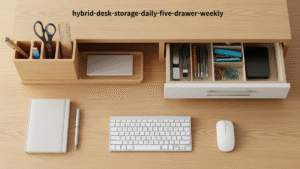
4) The hybrid system: Daily Five + Weekly Drawer
For most people, the most stable setup is hybrid:
desktop organizer = daily, drawer = weekly.
This keeps the surface calm without turning every task into a scavenger hunt.
- Daily Five: pick 5 items you touch constantly. They live inside one small organizer placed at 10 o’clock or 2 o’clock (not behind the keyboard).
- Weekly Drawer: spare cables, adapters, stationery backups, paper folders—sorted into 3–4 simple groups.
- Surface policy: the center stays clear. If something lands there, it either goes “home” or gets removed by end of day.
- Friday check: if drawer items “escaped” onto the desktop, they get demoted back immediately.
The quiet benefit of this logic is that it prevents “container creep.” When your organizer has a hard limit (Daily Five),
the overflow has a predictable destination (Weekly Drawer). No debates. No “temporary” piles.
5) Decision table: pick the right setup in 60 seconds
Use this as a fast audit. You’re not chasing “minimal.” You’re chasing low friction + stable posture.
| If you… | Choose more of… | But protect this… |
|---|---|---|
| Get distracted by visible items | Drawer (visual calm) | Keep Daily Five in one tiny caddy so you don’t slow down |
| Need speed in deep work | Small organizer (kinesthetic access) | Organizer stays outside keyboard/mouse rectangle |
| Lose small tech often | Drawer + dividers | Drawer must be search-free (no rummaging) |
| Feel shoulder/neck fatigue | Less surface storage | Mouse stays close to keyboard (no detours) |
| Keep “temporary” piles | Drawer policy (weekly home) | End-of-day surface reset (one minute) |
6) Common mistakes (the “looks clean” traps)
- Big organizer behind the keyboard line: it looks tidy, but it steals reach space and pushes posture forward.
- All-drawer, no daily zone: you “tidy” the desk but interrupt flow constantly.
- Drawer without categories: the first rummage day is the day the desktop starts collecting “temporary” items again.
- Too many “daily” tools: if everything is daily, nothing is daily. Daily Five is a hard cap for a reason.
- No start test: if you must move an item to begin typing, that item does not belong on the surface.
Frequency decides location. Location decides posture. Posture decides whether the setup feels good at 4 PM.
FAQ
Q1) What if my desk doesn’t have drawers?
A) Use an under-desk drawer or a slim drawer unit placed beside your chair-side (so you can access it without leaning forward). The key isn’t “having drawers.” It’s having a weekly home that doesn’t invade the reach zone.
Q2) Is a desktop organizer bad for ergonomics?
A) Not inherently. It becomes a problem when it pushes the keyboard forward, forces mouse detours, or sits behind the keyboard line. Keep it small and place it at the side, not in front.
Q3) How many items should be visible on the desk?
A) Aim for: keyboard/mouse + one tiny Daily Five organizer + (optional) one small drop tray. If you have to slide objects to work, you have too much surface storage.
Q4) Should I store cables in drawers?
A) Store spare cables in the drawer (weekly). Active cables (monitor/laptop charging) should be managed and anchored so they don’t become surface clutter or floor trip hazards.
Q5) I keep reorganizing but clutter returns. Why?
A) Because the system lacks a rule. The rule is: Daily Five vs Weekly Drawer + the 10-second start test. Without that, every container becomes a place to store indecision.
Internal Links
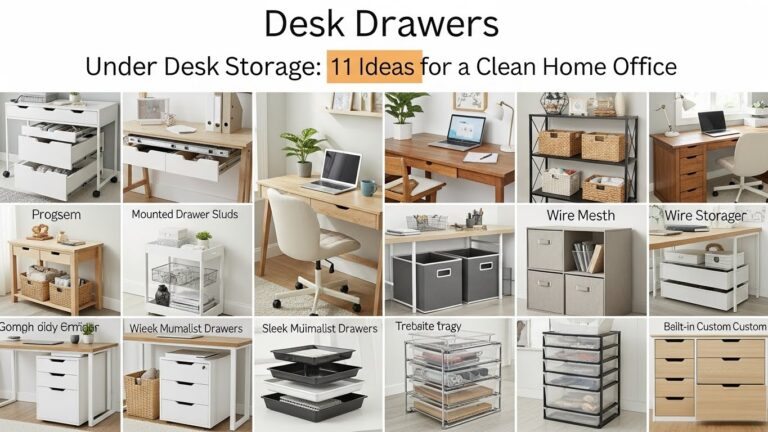
Under-Desk Storage Guide: 11 Ideas for a Professional Setup
Desk Clutter Reduction System: A Reset Routine That Stops Surface Drift
Productivity Desk Layout: Positioning Items for Peak Focus
Sources & References
- OSHA — Computer Workstations eTool
- NIOSH — Computer Workstation Checklist (PDF)
- HSE — Working safely with display screen equipment (DSE)
Professional Disclaimer
If you have persistent pain, numbness/tingling, worsening symptoms, or safety concerns with power/cables, consult a qualified professional.
Update Log:
– 2026-01-18: Upgraded the reach-zone-first framework, added the Daily Five + Weekly Drawer hybrid script, expanded decision table, and strengthened “looks clean” trap checks.

I’m not a medical professional, ergonomist, or workplace specialist.WorkNest exists to help everyday people build more comfortable, practical home office environments through clear explanations, visual guides, and common-sense adjustments.
Articles on this site are written from a non-expert perspective, focusing on real-world use, everyday discomforts, and widely accepted setup principles rather than clinical or professional advice.