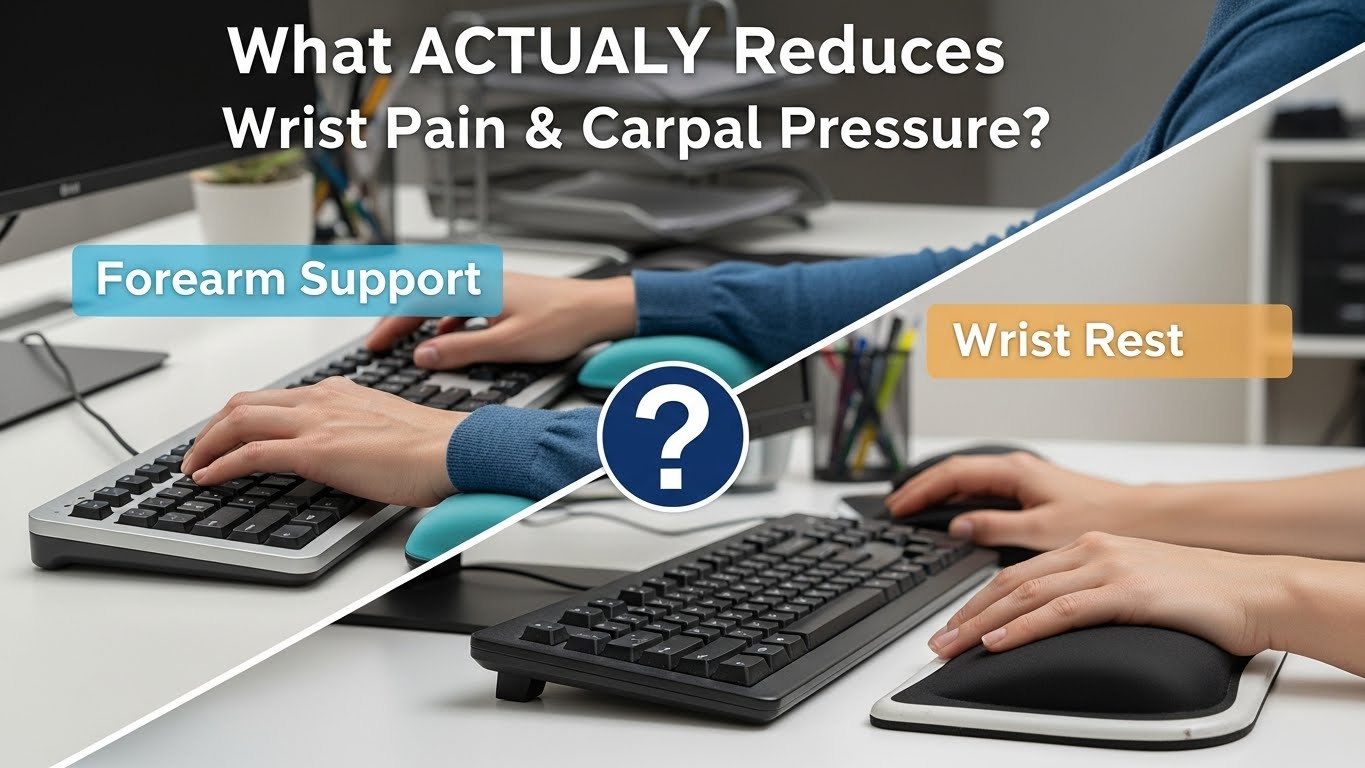
forearm support vs wrist rest what actually reduces wrist pain and carpal pressure
Forearm support vs. wrist rest — what’s the safer default for long typing and mousing?
In most desk setups, forearm support is the safer default because it supports the arm’s weight on a larger area and helps your wrist stay closer to neutral.
A wrist rest can be useful as a parking zone during pauses, but during active typing or mousing it may create a “pressure + anchoring” pattern that can irritate sensitive tissues around the carpal tunnel.
- Best baseline: support the proximal forearm (closer to elbow), keep the wrist light / floating during movement
- Use wrist rests only for pauses: rest when you stop, not while you move
- Edge pain fix: sharp desk edge → solve with edge protector / desk mat, not “more pressure” on a wrist pad
- Fast win: if you feel numbness/tingling, prioritize removing direct wrist pressure and reducing reach
- Night numbness/tingling in thumb/index/middle fingers
- Burning, “electric” shocks, or grip weakness
- Symptoms that spread up the forearm or worsen week to week
If these show up, stop pressing your wrist on any surface and consider professional evaluation. This guide is informational and not medical advice.
Last Updated: 2026-01-07 |
Expert Review: WorkNest Ergonomic Lab |
Author: WorkNest Team
- Remove wrist pressure: lift your wrist off the desk/pad while typing/mousing (rest only during pauses).
- Support the forearm: contact should be under the forearm (closer to elbow), not on the soft wrist crease.
- Neutral wrist check: forearm-to-hand line should look straight (no strong bend up/down or side-to-side).
- Mouse reach check: mouse sits next to the keyboard; your elbow should stay near your body (no reaching).
- 60-second reality test: type + mouse + shortcuts for 60 seconds. If you drift into wrist pressure or shrug shoulders, adjust support + reach.
Table of Contents
- 1) Why forearm support often wins (pressure + load distribution)
- 2) The hidden failure mode: “anchored wrist” vs “floating wrist”
- 3) When a wrist rest is helpful (and when it backfires)
- 4) Setup protocol: forearm support that doesn’t create new problems
- 5) Comparison table: good vs bad signals you’ll feel in real work
- FAQ
- Internal Links
- Sources & References
- Professional Disclaimer
1) Why forearm support often wins (pressure + load distribution)
Here’s the simple reason forearm support usually feels better over long sessions:
you’re spreading the same arm weight over a bigger contact area, and you’re reducing how much your wrist has to act like a tiny “hinge” under load.
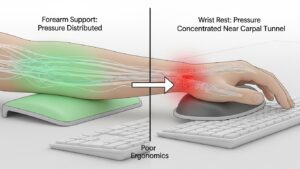
When the wrist becomes the main contact point, pressure concentrates in a smaller zone—often right where people are most sensitive.
Supporting the forearm increases the contact area and tends to lower pressure at any single point.
Supporting the wrist crease concentrates pressure where soft tissues and nerve-sensitive structures can get irritated.
This doesn’t mean “wrist rest = always bad,” but it does explain why wrist-based pressure can feel okay at first and then get annoying fast.
 >
>2) The hidden failure mode: “anchored wrist” vs “floating wrist”
Most people try to solve discomfort by adding softness.
The bigger issue is often anchoring: the wrist becomes a pivot point while your hand keeps moving.
That can encourage extra bending and side deviation during typing and mousing, especially when you’re rushing or doing precision work.
- Anchored wrist pattern: wrist stays planted while fingers/hand reach → the wrist bends and tissues take repeated stress.
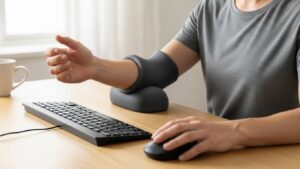
- Floating wrist pattern: forearm is supported, wrist stays light → hand glides with less “hinge” behavior.
- What it feels like: anchored wrist often feels like edge pressure + tight forearm + “pinchy” sensations during precision tasks.
Type normally for 15 seconds, then use the mouse for 15 seconds.
If you notice your wrist pressing into the desk/pad while your hand is still moving, you’re in the anchored-wrist pattern.
3) When a wrist rest is helpful (and when it backfires)
Wrist rests are not evil. They’re just easy to use in the wrong mode.
The helpful mode is resting. The risky mode is moving.
| Use case | Usually OK | Usually risky |
|---|---|---|
| Typing / mousing actively | Forearm support + floating wrist | Wrist crease pressed into pad/desk |
| Pauses / reading / thinking | Wrist rest as a “parking zone” | Hard edge pressure on the wrist crease |
| Sharp desk edge problem | Edge protector / desk mat + forearm support | “More padding” while still anchoring the wrist |

4) Setup protocol: forearm support that doesn’t create new problems
Forearm support can also backfire if it forces you too far from the desk or pushes the mouse into a weird reach zone.
The goal is support + proximity + neutral wrist — all three at the same time.
- Seat first: sit back, shoulders drop, elbows near your sides.
- Bring input closer: keyboard and mouse close enough that you don’t reach or flare elbows.
- Choose support surface: support under the forearm (closer to elbow). Avoid pressure on the soft wrist crease.
- Lock a neutral wrist: aim for a straight forearm-to-hand line during typing and mousing.
- Check mouse plane: mouse should be on the same plane as the keyboard (big height differences often trigger shoulder lift).
- 60-second test: type + mouse + shortcuts. If you drift into wrist pressure, adjust proximity and support position.
If you feel upper-trap tension, reduce reach first, then re-place the support closer to your body line.
5) Comparison table: good vs bad signals you’ll feel in real work
| Signal | Setup is drifting | Setup is stable |
|---|---|---|
| Wrist contact | wrist crease pressed while moving | wrist feels light / floating during motion |
| Forearm feel | burning/tightness during precision work | steady effort, less “grip tension” |
| Shoulders | shrugging / one side higher | shoulders relaxed, elbows near sides |
| Mouse reach | reaching outward, elbow drifts away | mouse close, same plane as keyboard |
| Daily pattern | starts fine → pain ramps by afternoon | you forget the setup and just work |
FAQ
Q1) My desk edge is sharp. Should I buy a wrist rest?
A) If the real problem is a hard edge, the cleanest fix is an edge protector or desk mat that removes the pressure point.
A wrist rest can help during pauses, but don’t use it to “hold” the wrist while actively typing or mousing.
Q2) I feel numbness when using my mouse. Is reach a big factor?
A) Often, yes. Reaching increases shoulder load and encourages bracing against the desk.
Bring the mouse into a neutral reach zone (right next to the keyboard) and remove direct wrist pressure first.
Q3) Can forearm support make shoulder tension worse?
A) It can—if it forces you farther from the desk or makes you “hover” your arms.
The fix is usually proximity: bring keyboard/mouse closer, then re-place support so elbows stay near your sides.
Q4) Should I use a wrist pad while gaming or precision work?
A) For high-precision tasks, many people tense their grip. A wrist pad can accidentally turn into an anchor.
Try keeping the wrist light during motion and use support under the forearm instead.
Q5) When should I stop tweaking and get help?
A) If symptoms are persistent, worsening, or include nerve-type signs (night numbness/tingling, grip weakness), consider professional evaluation rather than endless setup changes.
Internal Links
Keyboard and Mouse Positioning: The Neutral Reach Zone Guide
Mouse Grip Styles: Reducing Contact Stress and Finger Fatigue
Desk Height by Body Height: Precision Setup Calculator
Sources & References
- OSHA — Computer Workstations eTool: Pointer/Mouse
- NIOSH — Computer Workstation Checklist (PDF)
- HSE — Display Screen Equipment (DSE)
- Research overview — Forearm support and neck/shoulder outcomes (ScienceDirect)
Professional Disclaimer
If you have persistent pain, numbness, tingling, grip weakness, or worsening symptoms, consult a qualified clinician or ergonomics professional.
Update Log:
– 2026-01-07: Rebuilt guide around “floating wrist” protocol, added 2-minute Quick Standard, clarified wrist rest as pause-only use, and expanded reach + shoulder drift checks.

I’m not a medical professional, ergonomist, or workplace specialist.WorkNest exists to help everyday people build more comfortable, practical home office environments through clear explanations, visual guides, and common-sense adjustments.
Articles on this site are written from a non-expert perspective, focusing on real-world use, everyday discomforts, and widely accepted setup principles rather than clinical or professional advice.