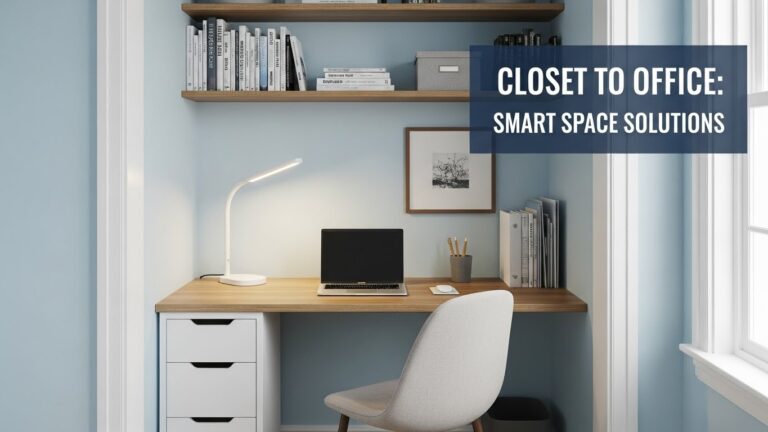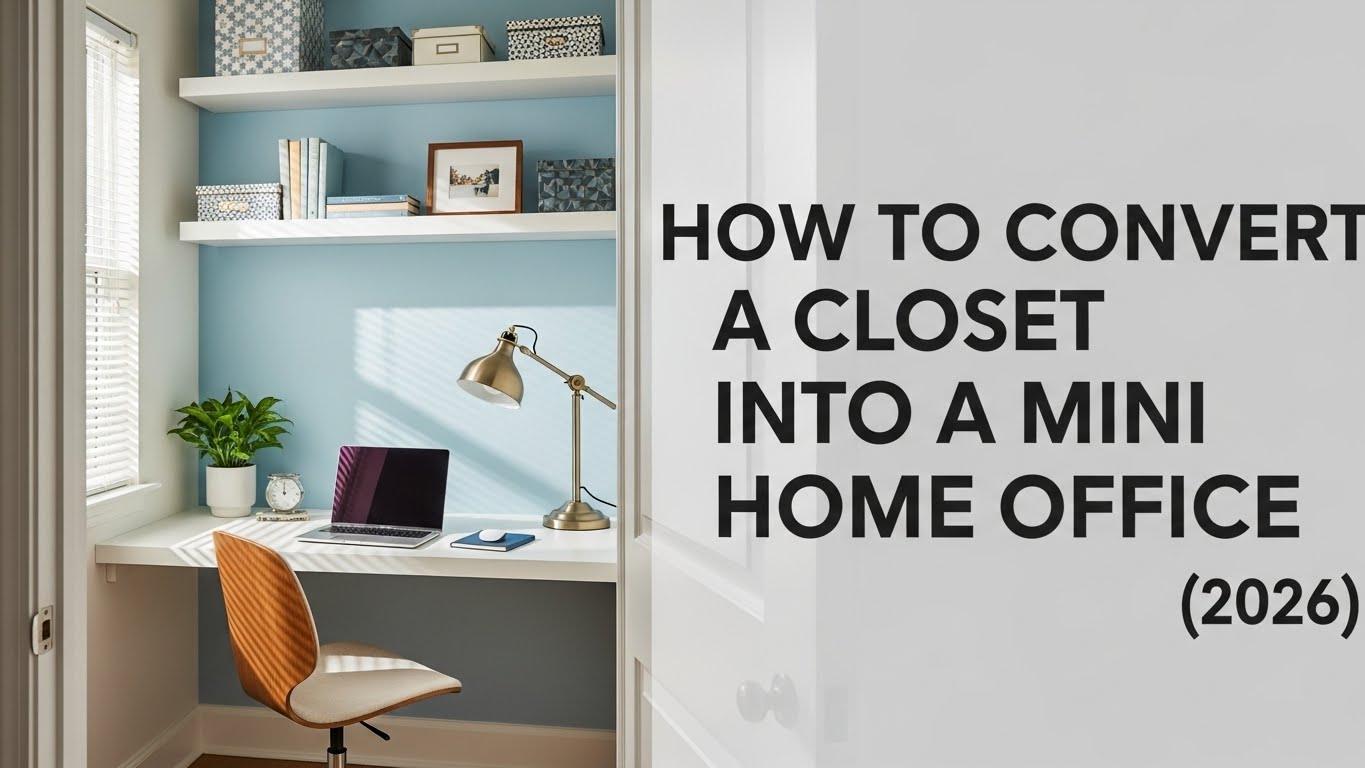
How to Convert a Closet Into a Mini Home Office (2026)
Last Updated: January 2, 2026 |
Expert Review: WorkNest Workspace Lab |
Author: WorkNest Team
- Critical depth: aim 60 cm+ if possible (55 cm is the “last safe line” for many people).
- Viewing distance: keep monitor roughly 50–70 cm away (arm’s length as a quick cue).
- Air exchange: airflow matters more than room size—avoid working with the door sealed for long blocks.
- Lighting: layered wins (task + ambient/bias). Closet offices fail when they’re “ceiling-only.”
- Acoustics: soft surfaces reduce echo and call fatigue (clothes/felt panels are surprisingly effective).
- Closure: build a clean “shut-down” (doors/curtain) so work disappears at day’s end.
- Electrical safety: small space = cable heat + overload risk. Keep power simple and ventilated.
A closet office can feel fine… until it doesn’t. If you notice these during focused work, treat it as a ventilation problem:
- Headaches or “brain fog” after ~45–60 minutes
- Unexpected drowsiness despite enough sleep
- Dry eyes/irritation that spikes once you close the door
- Focus dropping on mentally heavy tasks
Turning a closet into a mini home office sounds dramatic—until you live in a tight apartment and realize
how hard it is to protect focus at a shared table.
A “cloffice” can genuinely beat an open desk if you design around the body: eyes, neck, airflow, heat, and sound.
Most DIY closet offices fail for one boring reason: they look good for photos but feel awful after week one.
This guide keeps the aesthetics, but prioritizes what makes it usable for real work—especially long sessions and calls.
Table of Contents
- 1) Is Your Closet Suitable? (the “depth-first” test)
- 2) Layout choices that stop the “cramped box” feeling
- 3) Desk Depth + Monitor Distance (the #1 failure point)
- 4) Lighting to prevent eye strain (layered, not harsh)
- 5) Ventilation & heat control (focus lives here)
- 6) Sound control for calls (echo-proofing without overkill)
- 7) Electrical & cable safety (small space rules)
- 8) Closet Office vs Open Desk (who should choose what)
- 9) A simple build plan (weekend-friendly)
- 10) FAQ
- 11) Internal Links
- 12) Sources & References
- 13) Professional Disclaimer
1) Is Your Closet Suitable? (the “depth-first” test)
Width is nice, but depth is the deal-breaker.
Your eyes and neck dictate the minimum space, not your furniture wishlist.
- Depth: ideally 60 cm+. If you’re under 55 cm, you’ll rely on a monitor arm + shallow keyboard setup to stay comfortable.
- Width: enough so elbows don’t feel pinned (even a compact width can work if depth is right).
- Height: you should be able to sit upright without the top shelf making you hunch forward.
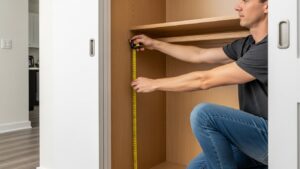
Sit on a chair, place your laptop/monitor where it would be, and see if you can keep your back tall without leaning away from the screen.
If you feel “nose-to-screen,” you need more depth or a monitor arm strategy.
2) Layout choices that stop the “cramped box” feeling
Closet offices feel claustrophobic when the design forces your body to shrink.
Your goal is “micro-room,” not “tight container.”
2-1) Keep the back wall visually calm
A cluttered back wall makes the space feel smaller and increases visual fatigue.
If you need storage, aim for side walls or shallow shelves above monitor height.
2-2) Doors: remove, replace, or modify?
- Sliding doors: great for space, but watch airflow.
- Removable doors: best if ventilation is terrible and you can’t add a fan.
- Keep doors + add gap/vents: best balance for focus + air exchange.
3) Desk Depth + Monitor Distance (the #1 failure point)
Most cloffice setups fail because of a shallow desk.
When the screen is too close, people either lean back (tension) or crane the neck (strain).
- Viewing distance: target 50–70 cm. A simple cue: roughly an arm’s length.
- Monitor height: the top of the screen near eye level reduces neck bending.
- Desk depth: if you can’t get depth, you “create” depth with a monitor arm.
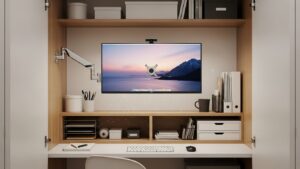
In a cloffice, the desk is not the “centerpiece”—your neck is.
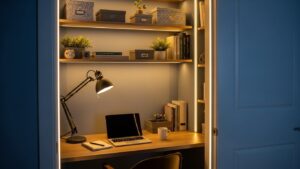
4) Lighting That Prevents Eye Strain (layered, not harsh)
Closets are naturally dark. If your screen is the brightest object in a dark box,
your eyes work harder than you think.
Layered lighting reduces that contrast and makes the space feel less “sealed.”
- Task light: a desk lamp from a side-front angle (avoids screen reflections).
- Ambient/bias light: LED strip behind the monitor or along the back wall for softer background brightness.
- Color temperature: many people tolerate 3500–4500K well for work hours (adjust to preference).
5) Ventilation & Heat Control (focus lives here)
Small enclosed spaces heat up quickly—and stale air can make you feel “slow” even if temperature seems fine.
The simplest ventilation plan is usually the best one.
5-1) The minimum viable airflow plan
- Door strategy: keep it slightly open during deep work blocks (even a small gap helps).
- Quiet fan: a low-noise desk fan aimed to move air out of the closet zone.
- Heat sources: avoid trapping a hot laptop + power brick + lamp in a sealed nook.
assume airflow is the issue and fix that first (before buying “productivity” gear).
6) Sound control for calls (echo-proofing without overkill)
Closets can echo, but that’s also why they can become great call booths once softened.
You don’t need a studio build—just reduce reflections.
- Keep some soft materials: a few hanging clothes can help more than you’d expect.
- Add felt/fabric panels: on one side wall or the back wall if calls are frequent.
- Desk surface: a desk mat reduces “hard slap” sound on keyboard and mouse.
7) Electrical & cable safety (small space rules)
Closet offices tempt people to hide everything—cables, power strips, adapters.
But tight bundles trap heat, and cramped outlets are easier to overload.
Keep the setup clean and breathable.
- One power strip, one location: mount it where it won’t be buried under fabric or clutter.
- Avoid daisy-chaining: don’t plug power strips into power strips.
- Heat awareness: laptops, chargers, and lamps generate heat—don’t trap them in a sealed corner.
- Cable routing: route cables along the side wall with clips to keep foot/leg space clear.
8) Closet Office vs Open Desk (who should choose what)
| Factor | Closet Office | Open Desk |
|---|---|---|
| Distraction control | High (visual privacy) | Variable |
| Ventilation | Needs planning | Usually natural |
| Lighting complexity | Must be layered | Easier to balance |
| Work-life separation | Strong (closure possible) | Hard (work always visible) |
If your #1 problem is distraction and you can manage airflow + lighting, a closet office can be a productivity upgrade.
If your #1 problem is heat/air discomfort already, start with an open desk and optimize the environment first.
9) A simple build plan (weekend-friendly)
You can build a good cloffice without a full renovation.
Here’s the simplest sequence that prevents the common mistakes.
- Measure depth first: decide whether you need a monitor arm strategy.
- Place monitor + chair: confirm viewing distance and upright posture.
- Add layered lighting: task lamp + ambient/bias light behind monitor.
- Ventilation plan: door gap + quiet fan + heat management.
- Acoustics: keep soft materials or add a felt panel (especially if you do calls).
- Cable safety: one tidy power zone, no buried power strips, clear leg space.
- Closure: door/curtain + “end-of-day reset” so your brain can leave work.
It’s small, but it stops the cloffice from mentally leaking into your evening.
FAQ
Q1) Is a closet office unhealthy?
A) Not automatically. It becomes a problem when airflow is poor and lighting forces eye strain. If those are addressed and you take regular breaks, it can be perfectly workable.
Q2) Can I work full-time in a closet office?
A) Yes—if you protect viewing distance, keep posture neutral, and treat ventilation as non-negotiable. Most “full-time failures” are really airflow + depth issues.
Q3) Should I remove closet doors?
A) If ventilation is terrible and you can’t improve it, removing doors can help. Otherwise, doors are valuable for focus and closure—just add gaps/vents or keep a slight opening during work.
Q4) Is a monitor arm necessary?
A) In many closet setups, yes. It often creates the missing depth that prevents neck strain and frees desk space for a keyboard and notes.
Internal Links
How to Arrange a Small Home Office
Work from Home Noise Reduction Setup
Sources & References
-
NIOSH – Indoor Environmental Quality
-
UK HSE – Workplace temperature and environment guidance
-
NIH – Visual and environmental ergonomics (lighting and eye strain)
Professional Disclaimer
This content is for informational purposes only and does not replace professional ergonomic, electrical, or medical advice.
Small-space conversions should prioritize fire safety (electrical load), safe cable routing, and adequate air exchange.
If discomfort persists, consult a qualified professional.

I’m not a medical professional, ergonomist, or workplace specialist.WorkNest exists to help everyday people build more comfortable, practical home office environments through clear explanations, visual guides, and common-sense adjustments.
Articles on this site are written from a non-expert perspective, focusing on real-world use, everyday discomforts, and widely accepted setup principles rather than clinical or professional advice.