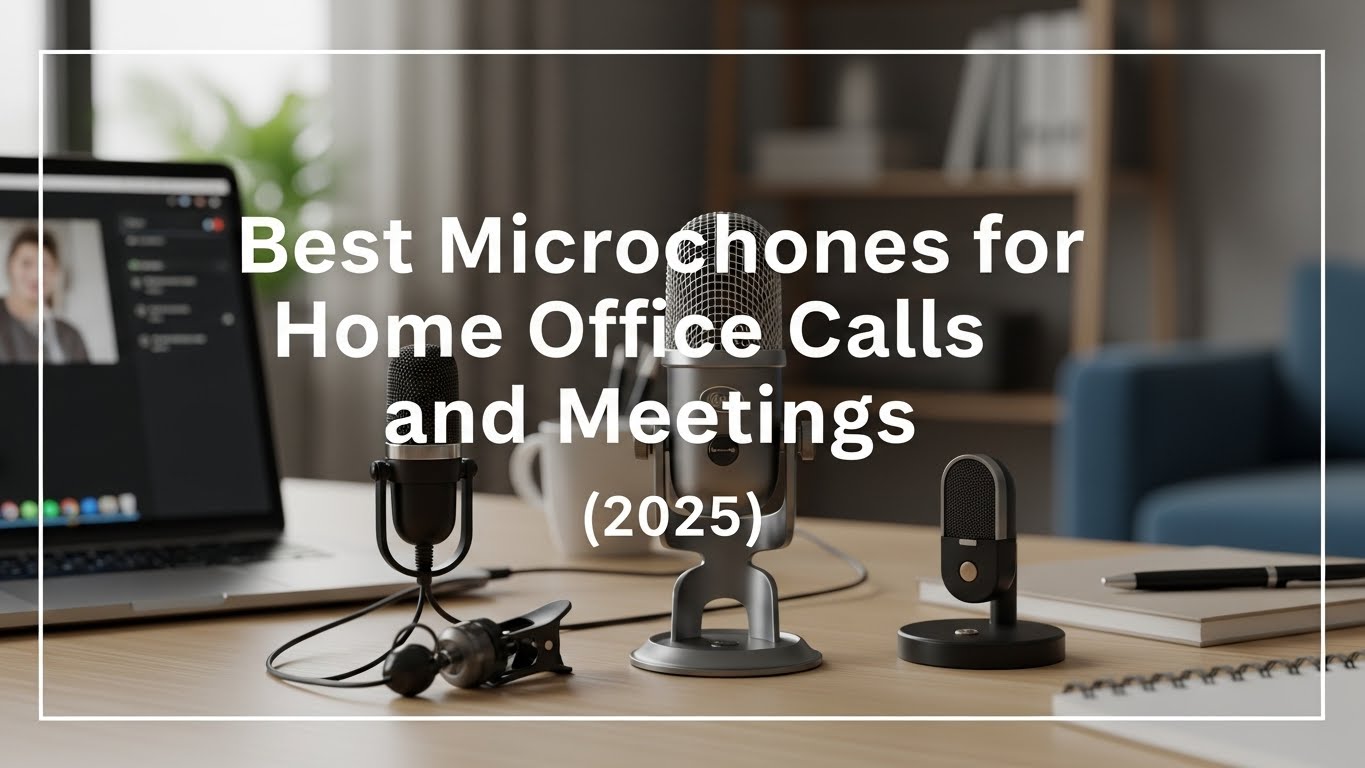
Best Microphones for Home Office Calls and Meetings (2025)
The best setup for clear office audio focuses on proximity and noise rejection. Follow these 5 standards:
- Mic Type: Use a cardioid USB condenser for clarity in quiet rooms, or a dynamic mic for noisy spaces.
- The “Hand Rule”: Keep the microphone about 15–20 cm (6–8 inches) from your mouth.
- Off-Axis Placement: Angle the mic slightly (not straight-on) to reduce plosives from “P” and “B.”
- Shock Protection: Use a boom arm or stable stand to reduce keyboard/desk vibration transfer.
- Acoustic Tip: Add soft materials (rug/curtain/blanket) in front of you to reduce echo and harsh reflections.
Last Updated: December 30, 2025 |
Expert Review: WorkNest Audio Lab |
Author: WorkNest Team
If you’re searching for the best microphones for home office calls, chances are you’ve already lived the problem: people asking you to repeat yourself,
meetings feeling strangely more exhausting, or your voice sounding thin and far away.
The biggest mistake isn’t buying the “wrong brand.” It’s assuming audio quality comes from price alone.
In real home office setups, mic type + placement + room acoustics usually matter more than the number on the receipt.
When speech becomes harder to understand, listeners spend more mental effort (“listening effort”), and that’s where meeting fatigue quietly starts.
Table of Contents
- 1. Why Microphone Quality Matters (The Trust Factor)
- 2. Microphone Types: Condenser vs. Dynamic
- 3. Proper Placement: The 15–20 cm Standard
- 4. Built-in Mic vs. External Microphone
- 5. Common Home Office Audio Mistakes
- 6. FAQ (Frequently Asked Questions)
- 7. Related Guides (Internal Links)
- 8. Scientific Sources & References
1. Why Microphone Quality Matters More Than You Think
In real communication, audio clarity often matters more than video.
When sound is “roomy,” clipped, or buried in noise, people don’t just miss words—they work harder to follow the message.
That extra mental effort shows up as lower trust, reduced focus, and that drained “Zoom tired” feeling after calls.
2. Microphone Types for Home Office Use
- USB Condenser Microphones: Sensitive and detailed. Best if your room is quiet and not echo-y.
- Dynamic Microphones: Better background-noise rejection. Great if you have street noise, pets, kids, or a loud keyboard.
- Cardioid Pattern: Prioritize cardioid pickup; it focuses on your voice and reduces “room” sound behind the mic.
3. Proper Microphone Placement for Clear Voice (15–20 cm)
Placement often matters more than microphone price. Aim for 15–20 cm (about one hand-span) from your mouth.
This improves the signal-to-noise ratio—your voice becomes louder than the room, so you can keep gain lower and reduce hiss/echo.
- Angle: Tilt the mic slightly off-center (about 30–45°). This reduces plosives without killing clarity.
- Height: Mouth level or slightly below works well. Too low can emphasize “chest” tone; too high can sound thin.
- Isolation: If your mic sits on the desk, keyboard taps and mouse bumps transfer easily. Use a shock mount or a boom arm.

4. Built-in Microphone vs. External Microphone
| Feature | Built-in Mic | External USB Mic |
|---|---|---|
| Voice Clarity | Thin / “Roomy” | Richer / More consistent |
| Background Noise | Picks up more room sound | Better rejection (cardioid + closer placement) |
| User Comfort | Fixed position | Flexible (boom arm/stand positioning) |
5. Common Home Office Audio Mistakes
- The “Keyboard Shield”: Placing the mic behind the keyboard (muffles voice, amplifies typing).
- The “Echo Wall”: Speaking toward a bare wall (reflections bounce straight back into the mic).
- Gain Overload: Setting gain too high (clipping, distortion, harsh “crunchy” audio).
- Too Far Away: The mic is 60–100 cm away, so your room becomes the “main voice.”
6. FAQ (Frequently Asked Questions)
Q1. Do I need an expensive XLR setup for Zoom calls?
A. No. A solid USB microphone with good placement gets you most of the benefit without an audio interface.
Q2. How do I stop my mic from picking up my mechanical keyboard?
A. First: move the mic closer (15–20 cm) and reduce gain. If your room is noisy, consider a dynamic microphone (for example: Shure MV7 or Samson Q2U) plus a boom arm.
Q3. Will a pop filter help?
A. Yes—especially at close distance. It softens “P/B” bursts and reduces harsh plosives.
Q4. What is the single best way to improve audio for free?
A. Mic proximity. Moving your mic even 10 cm closer can beat upgrading gear while staying far away.
7. Related Guides (Internal Links)
Keyboard and Mouse Positioning Guide
Work From Home Noise Reduction Setup
Desk Placement Guide
8. Scientific Sources & References
Scientific Reports (2024) – Room acoustics and speaking style effects on cognitive load
PubMed Central (2023) – Listening effort, intelligibility, and cognitive load measures in speech understanding
Journal article (PDF) – Listening effort challenges in video meetings (sound quality & workload)
Professional Disclaimer: This article is for informational purposes only and does not replace professional audio engineering advice.
If you experience vocal strain or hearing discomfort during long calls, consult a qualified professional.

I’m not a medical professional, ergonomist, or workplace specialist.WorkNest exists to help everyday people build more comfortable, practical home office environments through clear explanations, visual guides, and common-sense adjustments.
Articles on this site are written from a non-expert perspective, focusing on real-world use, everyday discomforts, and widely accepted setup principles rather than clinical or professional advice.