Desk Placement for Minimal Distraction: Environmental Psychology Guide
Last Updated: 2025-12-22
Desk placement for minimal distraction is one of the highest-impact changes you can make in a home office. Without buying new equipment, desk positioning alone can reduce visual noise, lower cognitive load, and improve sustained focus. This guide explains desk placement for minimal distraction using principles from environmental psychology, attention science, and real home office layouts.
Table of Contents
- Why Desk Placement Affects Focus
- Attention, Vision, and Distraction
- Desk Placement Relative to Windows
- Desk Placement Relative to Doors
- Facing a Wall vs Facing a Room
- Avoiding Traffic Flow Distractions
- Lighting and Glare Considerations
- Desk Placement in Small Rooms
- Common Desk Placement Mistakes
- Placement Optimization Checklist
- FAQ
- Internal Links
- Disclaimer
- Sources & Research
Why Desk Placement Affects Focus
Desk placement for minimal distraction works because the human brain constantly scans the environment for movement and novelty. When your desk faces high-traffic areas or visual clutter, your attention is repeatedly pulled away from tasks—even if you try to ignore it.
Attention, Vision, and Distraction
Environmental psychology research shows that:
- Peripheral motion captures attention automatically
- Visual complexity increases cognitive load
- Predictable environments support deeper focus
Desk placement for minimal distraction aims to reduce unexpected visual input.
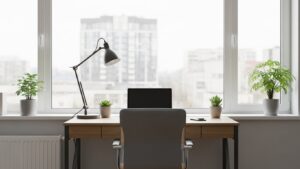
Desk Placement Relative to Windows
Windows are both helpful and distracting:
- Side-facing windows: best balance of light and focus
- Directly facing windows: high distraction risk
- Back to windows: glare and contrast issues
Desk Placement Relative to Doors
Doors signal movement and interruption:
- Avoid facing directly toward the door
- Position the desk at a slight angle if possible
- Keep the door within peripheral awareness, not central vision
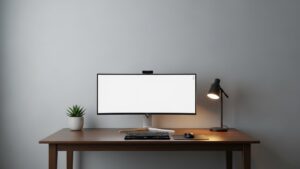
Facing a Wall vs Facing a Room
Facing a wall reduces visual input but can feel isolating:
- Wall-facing desks support deep focus
- Room-facing desks increase distraction
- Use neutral wall decor to avoid visual fatigue
Avoiding Traffic Flow Distractions
Traffic flow is a major distraction source:
- Avoid placing desks near hallways
- Keep walking paths behind, not beside, your desk
- Use furniture to buffer movement
Lighting and Glare Considerations
Glare increases eye strain and breaks focus:
- Avoid monitor facing windows directly
- Use adjustable desk lamps for task lighting
- Control reflections with blinds or curtains
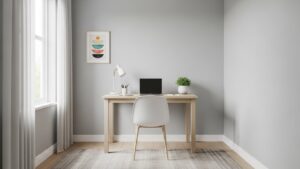
Desk Placement in Small Rooms
In small rooms, desk placement for minimal distraction requires compromise:
- Choose the quietest corner
- Face a wall when possible
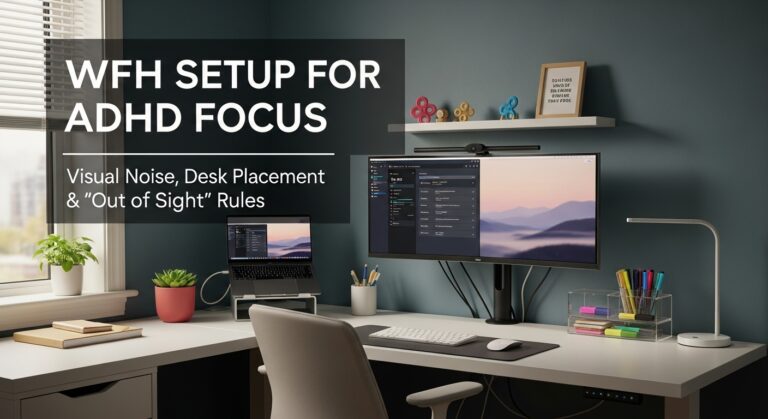
- Minimize visual clutter within arm’s reach
Common Desk Placement Mistakes
- Centering the desk in a high-traffic area
- Facing windows without glare control
- Ignoring peripheral distractions
Placement Optimization Checklist
- Desk not facing doors directly
- Windows positioned to the side
- Traffic flow behind the desk
- Minimal visual clutter in sightline
- Controlled lighting and glare
FAQ
1. Is facing a wall always better?
For deep focus, yes—but comfort matters.
2. Does desk placement affect productivity?
Yes—environment strongly influences attention.
3. Should I face the door?
No—this increases distraction.
4. Are corner desks better?
Often, because they reduce traffic exposure.
5. Can desk placement reduce stress?
Yes, by lowering cognitive load.
Internal Links
- Soundproof Home Office on a Budget
- Home Office Scent and Air Quality Optimization
- Desk Width Guide Home Office
Disclaimer
This article provides general environmental psychology guidance and does not replace professional ergonomic consultation.
Sources & Research
- American Psychological Association – Environment and Behavior
- Environmental Psychology Research
- NIH – Visual Attention and Distraction

I’m not a medical professional, ergonomist, or workplace specialist.WorkNest exists to help everyday people build more comfortable, practical home office environments through clear explanations, visual guides, and common-sense adjustments.
Articles on this site are written from a non-expert perspective, focusing on real-world use, everyday discomforts, and widely accepted setup principles rather than clinical or professional advice.