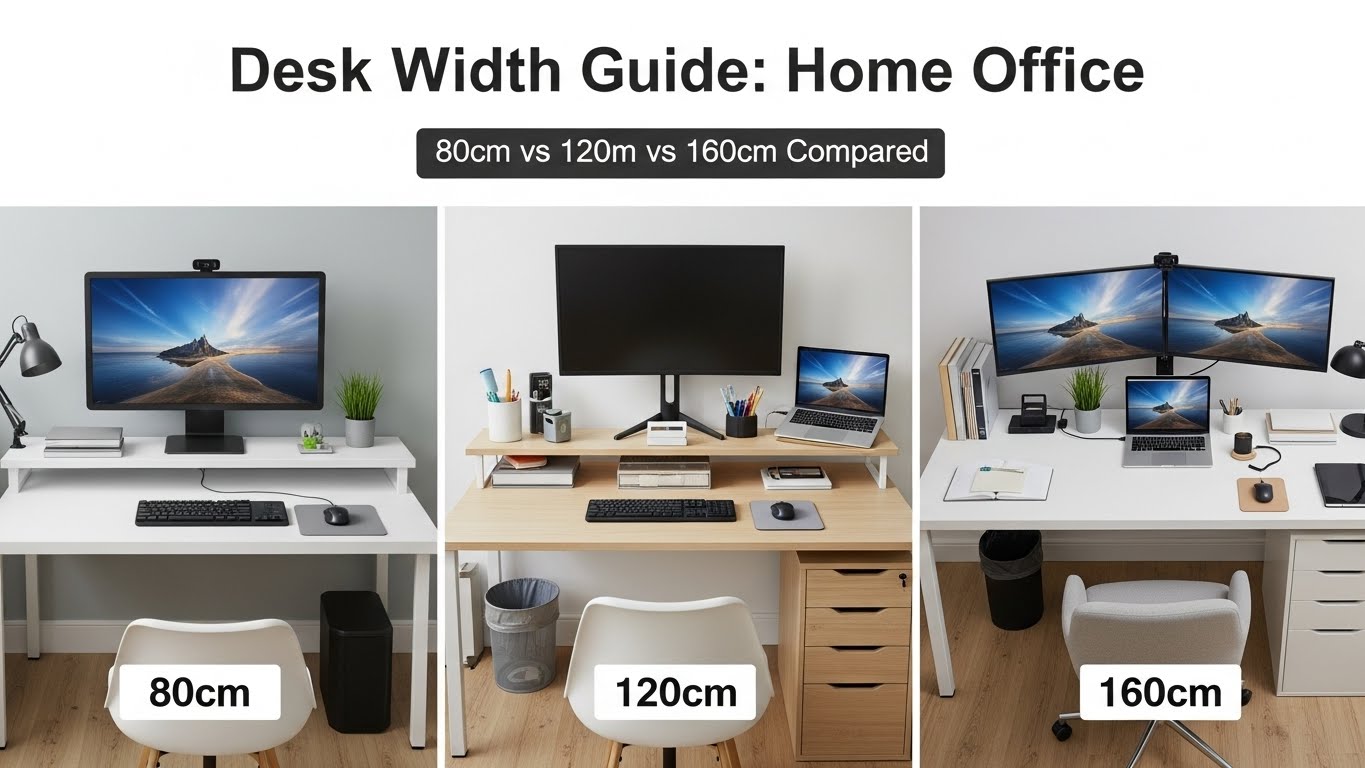
Desk Width Guide Home Office: 80cm vs 120cm vs 160cm Compared
Last Updated: 2025-12-19
Desk width guide home office decisions directly affect comfort, productivity, and long-term posture. Choosing a desk that is too narrow leads to clutter and tension, while an oversized desk wastes space—especially in apartments and small rooms. This desk width guide home office comparison explains exactly who should choose 80cm, 120cm, or 160cm desks based on real workflows, device setups, and room constraints.
Table of Contents
- Why Desk Width Matters in a Home Office
- Quick Overview: 80cm vs 120cm vs 160cm
- 80cm Desk: Minimal & Compact
- 120cm Desk: Balanced Everyday Choice
- 160cm Desk: Multi-Device Power Setup
- Desk Width vs Monitor Size
- Desk Width by Room Size
- Common Desk Width Mistakes
- Quick Selection Checklist
- FAQ
- Internal Links
- Disclaimer
- Sources & Research
Why Desk Width Matters in a Home Office
Desk width guide home office research shows that lateral space determines how freely you can position monitors, input devices, and reference materials. Insufficient width forces items into the center zone, increasing shoulder tension and visual clutter. Adequate width allows neutral posture and cleaner cable routing.
Quick Overview: 80cm vs 120cm vs 160cm
| Desk Width | Best For | Typical Setup | Limitations |
|---|---|---|---|
| 80cm | Very small rooms, laptops | Laptop + mouse | No room for dual monitors |
| 120cm | Most home offices | Single ultrawide or dual 24″ | Limited storage space |
| 160cm | Power users | Dual monitors + accessories | Requires larger rooms |
80cm Desk: Minimal & Compact
An 80cm desk is the minimum viable width for a desk width guide home office recommendation. It works best when:
- You primarily use a laptop
- Space is extremely limited
- Accessories are kept off-desk
However, arm movement is restricted, and clutter builds quickly if additional devices are added.
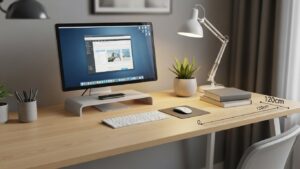
120cm Desk: Balanced Everyday Choice
For most people, a 120cm desk is the sweet spot. In a desk width guide home office context, this size supports:
- Single ultrawide or dual 24-inch monitors
- Comfortable keyboard and mouse spacing
- Light desk accessories
This width balances ergonomics and space efficiency, making it ideal for apartments.
160cm Desk: Multi-Device Power Setup
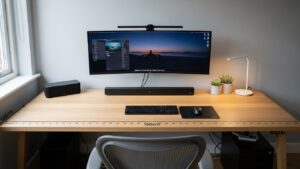
A 160cm desk is recommended for users with complex workflows:
- Dual or triple monitor setups
- Microphone arms, lamps, and accessories
- Frequent multitasking
In a desk width guide home office comparison, 160cm desks offer maximum flexibility—but require sufficient room depth.
Desk Width vs Monitor Size
- 24-inch monitor: 80–120cm desk
- 27-inch monitor: 120cm minimum
- Dual monitors: 120–160cm recommended
Desk Width by Room Size
- Under 6㎡: 80–120cm
- 6–9㎡: 120cm ideal
- 9㎡+: 160cm possible
Common Desk Width Mistakes
- Choosing width based on looks only
- Ignoring monitor arm clearance
- Forgetting chair movement space
Quick Selection Checklist
- Primary device count
- Room width and depth
- Monitor size
- Accessory usage
- Future upgrades
FAQ
1. Is 80cm too small for a home office?
Only if you use multiple devices.
2. Why is 120cm so popular?
It balances comfort and space efficiency.
3. Is 160cm worth it?
Yes, for multi-monitor or creative workflows.
4. Does desk depth matter?
Yes—depth affects viewing distance and posture.
5. Should I size up for future needs?
If space allows, yes.
Internal Links
Disclaimer
This article provides general workspace guidance. It is not architectural or ergonomic medical advice.
Sources & Research

I’m not a medical professional, ergonomist, or workplace specialist.WorkNest exists to help everyday people build more comfortable, practical home office environments through clear explanations, visual guides, and common-sense adjustments.
Articles on this site are written from a non-expert perspective, focusing on real-world use, everyday discomforts, and widely accepted setup principles rather than clinical or professional advice.